Upload any image.
Ask the AI anything about it.
SognoAI's image analyzer lets you drop a photo, screenshot, artwork, or PDF into a chat and talk about it. The AI describes what it sees, explains details, identifies objects, and answers follow-up questions, all in a natural conversation.
What breed is this dog?
That's a Shiba Inu! You can tell from the curled tail, fox-like face, and cream-and-red coat. Looks like a young adult. Want tips on the breed?
Yes! Are they good apartment dogs?
Surprisingly, yes! They're quiet and clean, though independent. Daily walks are a must.
Upload an image
Drop a photo, screenshot or diagram and ask about it.
Pick a character to analyze with
Every SognoAI character can look at your images. Choose an expert, a companion, or anyone from the community. Each reacts in their own voice.
Image Analyzer
Upload a photo, screenshot, artwork, or diagram and get back what is actually in it — the whole frame first, then the detail you asked about, then what it probably means. What is visible and what is inferred stay in separate sentences, so you always know which one you are reading.
Video Analyzer
Upload a clip, screen recording, or any video and get a detailed analysis: what happens and roughly when, what was said, what's on screen, and what it all means — picture and sound read together.
Audio Analyzer
Upload any recording — a meeting, voice memo, lecture, interview, song, or a strange noise — and ask anything about it. The answer comes first and the receipt second: the quote or passage and roughly when it happens, plus what the tone conveys that a transcript never would.
Arranged Husband
Two months married and your husband has not once told you what he wants for dinner. He's unfailingly kind, remembers everything, defers on everything, and you still couldn't say one true thing about him. Tonight you stopped offering him options and asked a different question instead.
Mai Sakurajima
Chat with Mai Sakurajima — actress since childhood, on hiatus, and for a while there literally invisible to everyone who had decided she didn't matter. Blunt, funny, and finished pretending for anyone's comfort.
Elliot (Forsaken)
Chat with Elliot from Forsaken — the Builder Brothers Pizza delivery guy who kept showing up for shifts at a restaurant that kept getting destroyed. Endlessly kind, chronically overworked, and still trying to fix the scooter that got him Forsaken.
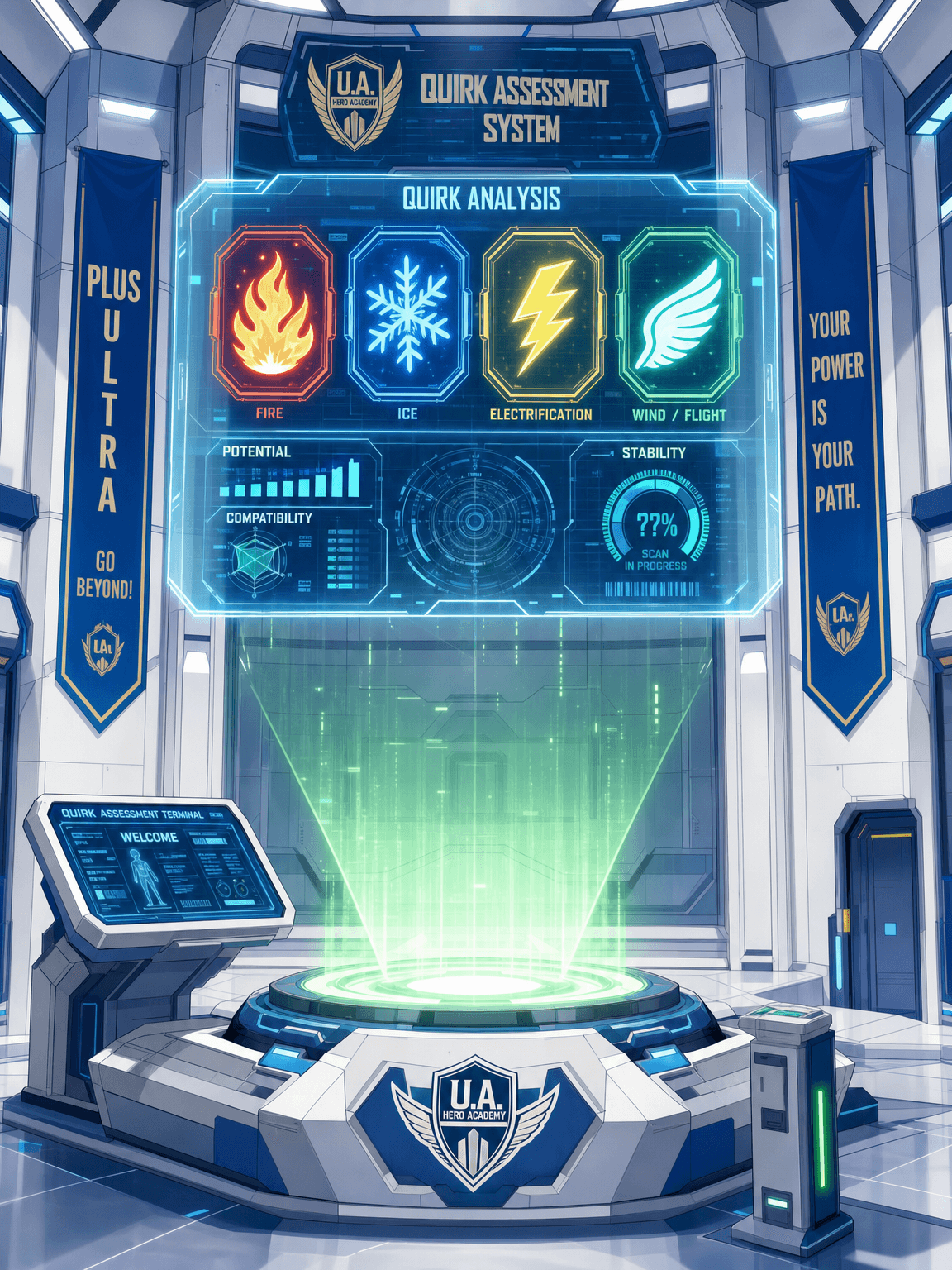
Quirk Generator
Discover your My Hero Academia quirk! The Quirk Generator assigns you a custom quirk — Emitter, Transformation, or Mutant — complete with strengths, drawbacks, and an ultimate move. Then jump straight into a UA hero scenario to test it.

Psychic
Get psychic readings from an AI psychic. Receive future predictions, spiritual guidance, intuitive insights, and answers to your life questions through psychic abilities.
How it works
Three steps, no setup
Pick a character
Choose any AI character from the community: a knowledgeable assistant, an art critic, or a friendly companion.
Upload your image
Attach a photo, screenshot, drawing, or PDF straight into the chat. No special tools or formats needed.
Ask anything
The AI sees the image instantly. Ask what it is, what it means, what's wrong with it, and keep the conversation going.
Features
What you get
Real vision models
Your images are analyzed by state-of-the-art vision language models that understand scenes, text, charts, and fine detail.
Conversational analysis
Not a one-shot caption: ask follow-up questions, dig into details, and get explanations in plain language.
PDFs too
Share documents as well as images. The AI reads them and discusses the contents with you.
Private by default
Uploads are stored behind authenticated access and never shared publicly. Your conversations stay yours.
Powered by leading AI
The best models, one chat
OpenAI GPT
GPT-5.1 and GPT-4o bring strong general reasoning to scenes, screenshots, and documents.
Google Gemini
Gemini 2.5 Flash is our default vision model: fast, accurate scene and text understanding.
Anthropic Claude
Claude excels at careful, nuanced reading of charts, documents, and long conversations.
xAI Grok
A distinct perspective with up-to-date general knowledge.
Meta Llama
Open-weight workhorse models with solid multimodal understanding.
DeepSeek
Standout reasoning at a fraction of the usual cost.
Qwen
Alibaba's model family with strong vision and multilingual skills.
Mistral
Efficient European models for quick, capable analysis.
Moonshot Kimi
Long-context specialist that keeps big documents and threads coherent.
Z.AI GLM
Capable bilingual models with fast, grounded answers.
StepFun
Multimodal models built for rich image understanding.
Community fine-tunes
Curated roleplay and creative-writing models from TheDrummer, Sao10K, and more.
Who is it for
Made for the way you work
Creatives
Get honest feedback on drawings, photos, logos, and UI mockups: composition, color, typography, and what a viewer notices first. Then turn any image into a prompt for your next piece.
Students
Photograph textbook diagrams, lecture slides, and handwritten problems, then have them explained step by step or turned into practice questions.
Developers
Paste a stack trace, an error dialog, or a dashboard chart and get it decoded. Showing a screenshot beats describing a bug in words.
Writers & researchers
Share PDFs, charts, and scanned documents to extract text, pull out key numbers, and get plain-language summaries you can quote.
Shoppers & collectors
Identify furniture, sneakers, cards, and vintage finds: what model, what era, which details affect value, and what to search to compare prices.
Everyday problem-solvers
A plant with yellowing leaves, a dashboard warning light, a part that needs a name, tonight's fridge contents. Upload and ask what to do next.
Character Categories
Explore endless possibilities for your AI characters

Anime
Create characters inspired by anime and manga styles

Fantasy
Dragons, wizards, and magical realms come to life

Sci-Fi
Futuristic characters from distant galaxies and timelines

Romance
Build relationships and explore emotional connections

Horror
Dark, mysterious characters for thrilling conversations

Education
Educational characters and learning companions
Movies & TV
Recreate characters from beloved shows and films
Original Characters
Bring your unique OC creations to life
Pricing
Pick a plan and start crafting.
Indie
Starter
- Get 100 credits per month
- Create 10 characters
- Live voice chat in realtime
- Characters can send you photos
Creators
Pro
- Get 1,000 credits per month
- Create 100 characters
- Live voice chat in realtime
- Characters can send you photos
- Early access to new features
Studios
Ultra
- Get 10,000 credits per month
- Create unlimited characters
- Live voice chat in realtime
- Characters can send you photos
- Day-one access to everything new
What is an AI image analyzer?
An AI image analyzer is a tool that uses vision-capable artificial intelligence to understand the content of a picture. Instead of just detecting objects, modern vision language models can describe a whole scene, read text inside screenshots, interpret charts and diagrams, identify plants, animals, and landmarks, and explain what makes an artwork distinctive. SognoAI turns that capability into a conversation: you upload an image into a chat and simply ask questions about it.
That conversational format is what makes it different from a classic photo-recognition app. A one-shot caption tells you "a dog on a beach." A chat lets you ask which breed the dog is, whether the lighting suggests morning or evening, or how you could recreate the shot, and the AI answers with context from everything said earlier in the conversation. Because SognoAI characters have personalities and memory, you can make the analysis playful, technical, or educational depending on who you talk to.
What can you analyze?
Photos are the obvious starting point: snap a picture of a plant, an insect, a landmark, or a dish and ask what it is. The AI identifies the subject, explains distinguishing features, and answers follow-ups: care tips for the plant, history of the landmark, a recipe that matches the dish. For pets and wildlife it can suggest breeds and species along with the visual cues it used, so you learn to spot the differences yourself.
Screenshots are where an image analyzer quietly becomes a productivity tool. Paste an error message and ask what it means and how to fix it. Share a settings screen and ask which option to change. Drop in a chart from a report and have the trend explained in plain language, or a table extracted into text you can copy. Because SognoAI also accepts PDF documents, you can go beyond single screenshots and discuss whole reports, manuals, and papers.
Creative work benefits too. Upload a drawing, a logo draft, a photograph, or a UI mockup and ask for honest feedback: composition, color balance, typography, what a viewer notices first. Ask the AI to describe the image in detail and you have instant alt text for accessibility. Ask it what prompt would generate a similar image and you have a starting point for your next creation.
Why analyze images in a chat instead of a one-shot tool?
Most image-recognition tools give you a single answer and stop. Real questions rarely work that way. You look at the answer, and it raises the next question: "okay, it's a Shiba Inu, but is it a puppy or an adult?" A chat keeps the image and everything already said in context, so each follow-up gets sharper instead of starting from zero. You can challenge the AI's reading, ask for a simpler explanation, or steer the analysis toward what you actually care about.
Characters make that conversation better, not just cuter. A teacher character explains a diagram step by step and quizzes you afterward. An art-critic character reviews your sketch with vocabulary you can reuse. A friendly companion reacts to your holiday photos and remembers them next time you talk. The underlying vision models are the same state of the art; the character decides the voice, depth, and direction of the analysis.
And because analysis happens inside SognoAI's chat, everything else is one message away: ask the character to generate a new image inspired by yours, save the conversation, or continue it tomorrow. The character remembers.
How AI image analysis actually works
Under the hood, SognoAI sends your image to a vision language model, the same family of technology behind the leading AI assistants. These models are trained on enormous collections of paired images and text, which teaches them to connect pixels to concepts: not just "this is a cat," but "this is a long-haired tabby lying on a windowsill in late-afternoon light." When you ask a question, the model reasons over both the image and your words together, which is why it can answer things a classic classifier never could: "which of these two chairs matches the desk in the first photo?" or "what's wrong with the code in this screenshot?".
This also explains the limits, and knowing them makes the tool more useful. Vision models read text in images very well but can struggle with tiny, blurry, or heavily stylized lettering. They recognize what things look like, not what they secretly are: a convincing replica watch can fool a model just as it can fool a person at a glance. And they don't measure: estimates of size, distance, and quantity are educated guesses from visual cues. For anything high-stakes (medical images, legal documents, safety decisions), treat the analysis as a well-informed second opinion, not a verdict.
Real ways people use it every day
Students photograph textbook diagrams, lecture slides, and handwritten notes, then ask for step-by-step explanations or practice questions. A biology diagram becomes an interactive quiz; a calculus problem photographed from a worksheet gets worked through method by method rather than just answered.
Developers and office workers paste screenshots all day: a stack trace to decode, a spreadsheet formula error, a confusing dialog box from unfamiliar software, a dashboard chart that needs a one-paragraph summary for a status update. Describing a UI bug in words is slow; showing it is instant.
Shoppers and collectors upload photos of furniture, sneakers, trading cards, vintage electronics, or thrift-store finds to identify the model and era, learn what details affect value, and get suggestions for what to search to compare prices. Travelers do the same with landmarks, menus in other languages, transit maps, and signs.
Around the house, people photograph a plant with yellowing leaves, a warning light on a dashboard, a part that needs replacing, or the contents of the fridge and ask what to do next: a diagnosis, the part's likely name, or three dinner ideas. None of these need a specialized app; they're all just "upload and ask."
Your images stay private
Every image you upload is stored behind authenticated access and served only to you, inside your own conversations. Uploads are never published to the community, never shown to other users, and never used to train models. Conversations, including their images, can be deleted whenever you like, and analysis happens per-conversation: a character discusses the image you shared in that chat, nothing else.
Tips for better image analysis
Upload clear, well-lit images when you can; the models handle imperfect photos well, but detail they cannot see is detail they cannot explain. Ask specific questions: "what species is this spider and is it dangerous?" beats "what is this?". If the first answer is too technical or too shallow, say so: "explain it like I'm new to this" or "go deeper on the lighting" both work. For documents, name what you want extracted: totals, dates, action items, a summary in three bullets.
Getting started takes under a minute: create a free account, open any character from the community, attach an image with the paperclip in the chat box, and ask your first question. The AI sees the image instantly and answers in seconds. No downloads, no special formats, and it works on desktop and mobile alike.
FAQ
Common questions
What is the AI image analyzer?+
It's a chat-based tool on SognoAI: upload any image into a conversation and the AI looks at it, describes what it sees, and answers your questions about it. It works with photos, screenshots, artwork, diagrams, and even PDF documents.
Is the AI image analyzer free to use?+
Yes. Uploading and analyzing images works on the free plan, which includes starter credits. Paid plans add more credits, more characters, premium image models, and live voice.
What kinds of images can the AI analyze?+
Photos, screenshots, drawings, digital artwork, charts, diagrams, and PDF documents. The AI can describe scenes, identify objects and animals, read visible text, and interpret visual details.
Can the AI answer follow-up questions about my image?+
Yes, that's the point of doing it in a chat. The AI remembers the image and the conversation, so you can keep asking follow-ups like "what about the background?" or "explain that in simpler terms."
Are my uploaded images private?+
Yes. Uploads are stored behind authenticated access and are only visible inside your own conversations. They are never published, never shared with other users, and never used for training.
Do you train AI models on my images?+
No. Your images are never used to train any model, ours or anyone else's. Every AI provider we route to is contractually barred from training on what you send, on every plan including the free one. Paid plans add zero data retention, which restricts routing to providers that store nothing at all, and an incognito chat saves nothing on our side either — no history, no memories.
Do I need to install anything?+
No. SognoAI runs entirely in your browser on desktop and mobile. Create an account, open a chat, and attach an image. No downloads or setup required.
More AI tools
One chat, many talents
AI audio analyzer. It listens, then answers your questions.
Upload a voice memo, meeting recording, song, or any sound clip and ask about it. SognoAI's AI listens to the audio itself, not just a transcript, so it can summarize what was said, pick out who said it, describe music and background sounds, and answer follow-up questions in a natural conversation.
Learn moreUpload any PDF. Chat with the whole document.
SognoAI's PDF analyzer lets you drop a contract, report, paper, or manual into a chat and talk about it. The AI reads the entire document, summarizes the key points, finds specific answers, and explains the dense parts in plain language.
Learn moreUpload any video. The AI watches and explains.
SognoAI's video analyzer lets you drop a clip, screen recording, or short video into a chat and talk about it. The AI watches it, describes what happens, hears what is said, and answers follow-up questions about any moment.
Learn more