Animate any image.
AI image to video, with sound.
Upload a photo or pick an image from your gallery, describe what should happen, and SognoAI turns it into a short 720p video clip with sound. Choose between P-Video, Grok Imagine Video and Veo 3.1 Fast, set the length, and see the credit price before you generate. Video generation is included with paid plans.
She turns toward the camera and smiles, hair moving in the wind
Animating with P-Video: 5 seconds, 3:4 to match your image. It'll be in your gallery when it's done.
Can she say "see you tomorrow" at the end?
For spoken lines, switch to Veo 3.1 Fast. Your portrait will be framed as 9:16.
Characters worth animating
Browse the community's characters for inspiration. Create art of your own character in the image generator, then press Animate on it to see them move.
Video Analyzer
Upload a clip, screen recording, or practice video and ask anything about it. What happens and roughly when, what was said, why it went wrong and the one fix to try first — picture and sound read together.
Audio Analyzer
Upload any recording — a meeting, voice memo, lecture, interview, song, or a strange noise — and ask anything about it. The answer comes first and the receipt second: the quote or passage and roughly when it happens, plus what the tone conveys that a transcript never would.
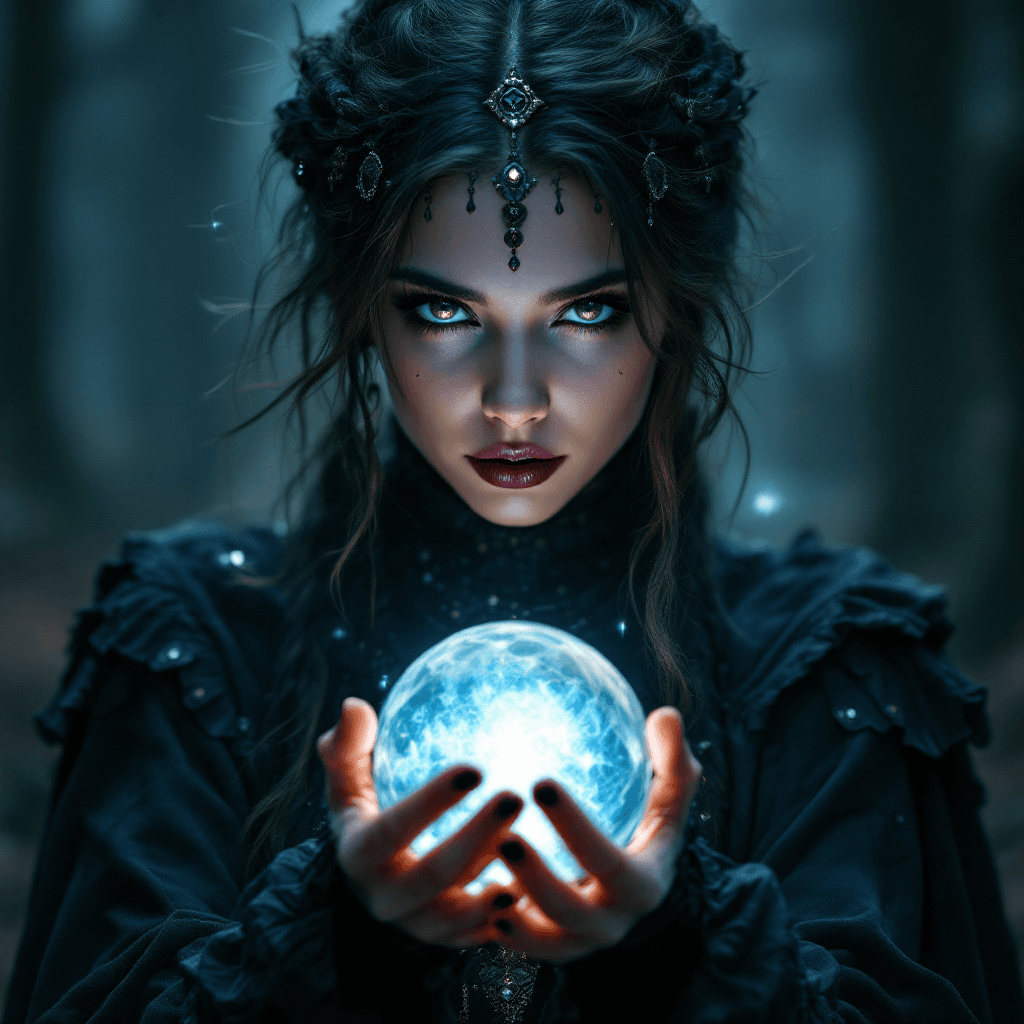
Psychic
Get psychic readings from an AI psychic. Receive future predictions, spiritual guidance, intuitive insights, and answers to your life questions through psychic abilities.
Asuka Langley Souryuu
Chat with Asuka Langley Souryuu — a fourteen-year-old with a university degree, the best sync scores in the programme, and absolutely nothing underneath the achievements to fall back on. She will tell you she's the best. She needs you to agree.
Kurisu Makise
Chat with Kurisu Makise — eighteen-year-old neuroscience researcher, published in the journals that matter, and completely unequipped for the lab full of idiots she keeps coming back to. Correct about almost everything. Furious about the almost.
Choso
Chat with Choso from Jujutsu Kaisen — the eldest of the Death Painting wombs, a hundred and fifty years old, half-human and half-curse. He manipulates his own blood as a weapon and he will not shut up about his little brothers.
Mafia Husband
You were married to settle something between two families. Your husband is silent, immaculate, and comes home at four in the morning smelling of someone else's cigarettes. He has never once lied to you. He has never once told you the whole truth either. So why does he still wait up when you're out?
Frieren
Chat with Frieren — an elven mage who outlived the party she saved the world with and only noticed too late that ten years with them was a blink. She is going back the way they came, slowly, to learn what she missed.
How it works
Three steps, no setup
Pick a start image
Upload a photo or choose any image from your gallery. The clip's aspect ratio is matched to the image automatically.
Describe the motion
Say what happens: a smile, a head turn, rain starting, the camera pushing in. Enhance with AI expands a rough idea into a detailed prompt.
Choose a model and generate
Pick a model and duration, set quality and sound where the model offers them, and see the credit price on the button. The finished clip lands in your gallery.
Features
What you get
Three video models, one page
P-Video for fast, low-cost clips up to 20 seconds, Grok Imagine Video for keeping a face true to the photo, and Veo 3.1 Fast for expressive scenes where characters speak.
Sound included
Every model generates audio along with the picture. P-Video and Veo 3.1 Fast let you switch it off, and silent Veo clips cost less.
The price before you press
Clips are priced per second at each model's rate. The generate button shows the credit cost for the model, length, quality and sound you picked.
Animate from your gallery
Every image in your gallery has an Animate button, so a picture from the image generator becomes a video start frame in one click.
Powered by leading AI
The best models, one chat
P-Video
The default: the fastest and cheapest model, 720p with sound, clips of 5 to 20 seconds, and a Fast mode for low-cost drafts.
xAI Grok Imagine Video
720p with sound and clips of 5 to 15 seconds. The most faithful to the face in your start image.
Google Veo 3.1 Fast
Expressive motion and spoken lines at 720p, in 4, 6 or 8 seconds, vertical 9:16 or widescreen 16:9.
Replicate
All three models run on Replicate. Finished clips are saved to your private SognoAI gallery.
Who is it for
Made for the way you work
Character creators
Give your AI character's portrait a pulse: a blink, a smile, a line of dialogue, in the same look you designed.
Short-form video makers
Vertical 9:16 for Reels, Shorts and TikTok, widescreen 16:9 for YouTube, or square 1:1 for the feed.
Photo lovers
Turn a favorite photo into a few seconds of motion: wind in the trees, waves rolling in, a subject glancing up.
Artists & illustrators
See how a still piece moves before animating it by hand, or bring finished art to life for a portfolio or post.
Storytellers & roleplayers
Turn a key scene from your story into a moving moment, with sound, to share or keep.
Anyone with a picture
No editing software and no keyframes. If you can say what should happen, you can make the video.
Character Categories
Explore endless possibilities for your AI characters

Anime
Create characters inspired by anime and manga styles
Fantasy
Dragons, wizards, and magical realms come to life
Sci-Fi
Futuristic characters from distant galaxies and timelines

Romance
Build relationships and explore emotional connections
Horror
Dark, mysterious characters for thrilling conversations
Education
Educational characters and learning companions
Movies & TV
Recreate characters from beloved shows and films
Original Characters
Bring your unique OC creations to life
Pricing
Pick a plan and start crafting.
Indie
Starter
- Get 100 credits per month
- Create 10 characters
- Live voice chat in realtime
- Characters can send you photos
Creators
Pro
- Get 1,000 credits per month
- Create 100 characters
- Live voice chat in realtime
- Characters can send you photos
- Early access to new features
Studios
Ultra
- Get 10,000 credits per month
- Create unlimited characters
- Live voice chat in realtime
- Characters can send you photos
- Day-one access to everything new
What is AI image to video?
AI image to video takes a single still picture and generates a short video that starts from it. You provide the image and a sentence about what should happen, and a video model works out the motion: how a face moves when it smiles, how hair reacts to wind, how the camera drifts through the scene. The subject, the setting and the style come from your picture, so the result looks like your image come to life rather than a new clip loosely inspired by it.
Modern models also generate sound. On SognoAI every video model produces audio with the picture: ambient sound, effects, and with Veo 3.1 Fast, characters speaking lines. The page is built around a small lineup of models picked from side-by-side testing, not a long list of options you have to research first.
How to turn a photo into video with AI
Start on the video page and add a start image. You can upload a photo from your device or choose any image already in your gallery, including everything you have made with the image generator. SognoAI reads the image's shape and picks the closest aspect ratio the model supports, so a portrait photo stays a portrait clip.
Then describe the motion. Short, concrete prompts work best: "she laughs and waves at the camera", "slow push-in as snow starts to fall". If your idea is rough, Enhance with AI rewrites it into a fuller prompt you can edit. Choose a model and a duration, check the price on the button, and generate.
Clips render in the background and usually take around a minute. You can leave the page while it works: the finished video is saved to your gallery, where you can play it, download it as an MP4, or remix the prompt for another take.
The best AI image to video generators, side by side
Choosing an AI video generator from an image comes down to what the clip needs. P-Video is the default: the fastest and cheapest of the three, with clips from 5 up to 20 seconds and a Fast draft mode for cheap test runs before a High quality render. Grok Imagine Video, from xAI, stays the most faithful to the face in your start image, with clips up to 15 seconds. Veo 3.1 Fast, from Google, is the expressive one: it animates performances and can have a character speak, in 4, 6 or 8 second clips.
All three render at 720p with sound. P-Video and Grok support seven aspect ratios, from vertical 9:16 and portrait 3:4 through square 1:1 to widescreen 16:9; Veo 3.1 Fast offers vertical 9:16 and widescreen 16:9. Because the models sit on one page and share one credit balance, trying the same image on two of them is a matter of switching the model and pressing generate again.
What does image to video AI cost on SognoAI?
Video generation is available on paid plans. Each plan includes monthly credits, and a clip costs credits according to the model's per-second rate multiplied by its length. P-Video's Fast mode is the cheapest way to try an idea; Veo 3.1 Fast is the premium option, and turning its sound off lowers the price. The exact cost is shown on the generate button before you start, so there are no surprises.
The free plan covers character chat and the fast image models, so you can create and refine the picture you want to animate before you upgrade.
Tips for better image-to-video results
Describe what changes, not what is already in the picture; the model can see the image. Keep to one main action per clip, since a few seconds is short. Name camera moves when you want them: push in, pan left, orbit. Use a clear, well-lit start image, because the video inherits its quality. Try an idea in P-Video's Fast mode first, then render the keeper in High quality or on another model. For close-ups where the face must stay recognizable, use Grok Imagine Video; for a character who speaks, use Veo 3.1 Fast and write the line into the prompt.
FAQ
Common questions
Which plan do I need for AI image to video?+
Any paid plan. Video generation isn't available on the free plan, which covers character chat and the fast image models. Paid plans include monthly credits, and each clip uses credits based on its model and length.
How do I make an AI video from a photo?+
Open the video page, upload the photo or pick it from your gallery, describe what should happen, choose a model and length, and press generate. The clip appears in your gallery when it's done, usually in about a minute.
Which AI video generator from an image should I use?+
P-Video for fast, low-cost clips and the longest durations, Grok Imagine Video when the face must stay true to the photo, and Veo 3.1 Fast for expressive performances and spoken lines.
How long can the videos be?+
P-Video makes clips of 5, 10, 15 or 20 seconds, Grok Imagine Video 5, 10 or 15 seconds, and Veo 3.1 Fast 4, 6 or 8 seconds.
Do the videos have sound?+
Yes. All three models generate audio with the video. You can turn sound off on P-Video and Veo 3.1 Fast, and a silent Veo clip costs less. Grok Imagine Video always includes sound.
What resolution and aspect ratios are supported?+
Clips are 720p. P-Video and Grok Imagine Video support 3:4, 9:16, 2:3, 1:1, 4:3, 3:2 and 16:9; Veo 3.1 Fast supports 9:16 and 16:9. With a start image, the closest supported ratio is picked for you.
Can I make a video without an image?+
Yes. The start image is optional. Leave it empty and the clip is generated from your text prompt alone.
Where are my videos saved?+
In your private gallery alongside your images. You can play them there, download them as MP4, or reuse the prompt for another take.
More AI tools
One chat, many talents
Describe it. Watch it become an image.
SognoAI's image generator turns your words into pictures. Choose from a curated lineup of the best models, from lightning-fast free options to premium engines like FLUX 2 Pro and Nano Banana Pro, then generate art, photos, and anime in any aspect ratio.
Learn moreImagine someone. Then meet them.
SognoAI's character creator turns a description into a living AI companion. Write their personality and backstory, generate their portrait, pick their voice, and start talking. Your character remembers you, stays in character, and grows with every conversation.
Learn moreUpload any video. The AI watches and explains.
SognoAI's video analyzer lets you drop a clip, screen recording, or short video into a chat and talk about it. The AI watches it, describes what happens, hears what is said, and answers follow-up questions about any moment.
Learn more